How to translate a recipe without losing the measurements
Translate any saved recipe into English, French, Spanish, Italian, German, Portuguese, Japanese or Chinese, with every amount and oven temperature kept.

Sugo can now translate a recipe for you. Open any recipe you have saved, tap the flag beside Add to your plan, and choose a language. The recipe turns into it on the page, line by line: the title, the ingredient list with its notes, the section headings and every step. The amounts and temperatures stay exactly as the cook wrote them, the translation is saved with the recipe, and the next time you open it, it is already in your language.
Eight languages are in the list: English, French, Spanish, Italian, German, Portuguese, Japanese and Chinese. It is rolling out in the Sugo app now.
Why translating a recipe usually goes wrong
The usual way to translate a recipe is to run the page through Google Translate or your browser's translate button, and it mostly works for the paragraph at the top. It goes wrong in the parts you cook from.
On a recipe site, the ingredient list, the amounts, the units and the steps sit in separate boxes, often in tables or widgets, and a page translator handles them one fragment at a time, without knowing that "1 c. à soupe" is a spoonful or that "beurre demi-sel" is the butter from line three. You get "1 c. tablespoon", an ingredient left in French next to its English neighbours, or a step that refers to a "dough" the list calls "pastry". Translate a page on your phone and the result lasts as long as the tab: close it, and the next time you cook that dish you are back to the original.
A translator that knows nothing about cooking also "helps" with the numbers. It may convert 200 °C to Fahrenheit and leave the original beside it, round a weight, or turn "1 inch" into "2.5 cm" in one step and leave it in inches in the next. Clumsy grammar in a recipe is only annoying, but a wrong oven temperature ruins the dish.
Watch a recipe change language
Here is a short apple tart recipe written in French. Scroll it into view and it translates into English the way it does in the app. Then tap any other flag to read it in that language instead.
One recipe card, eight languages
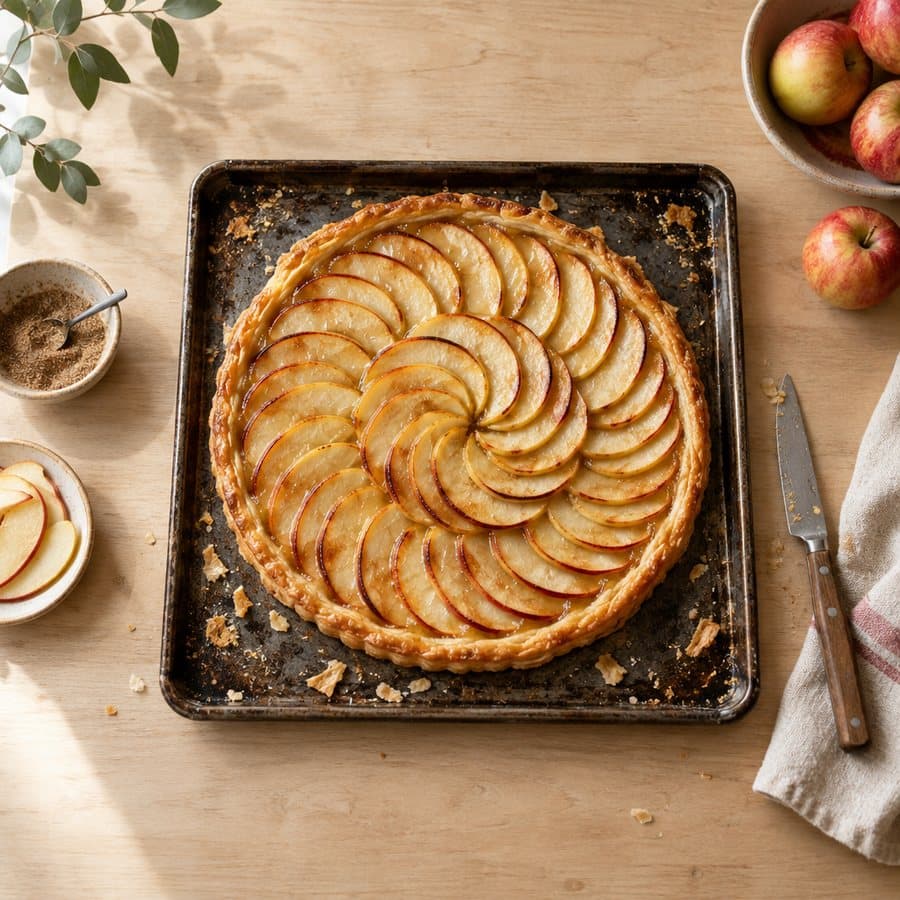
Thin apple tart
- 1 sheet of puff pastry
- 4 Golden Delicious apples
- 30 g salted butter, melted
Fan out the apples, brush them with the butter and bake for 25 minutes at 200 °C.
Tap a flag to translate the card
How to translate a recipe in Sugo
- Open the recipe. It can be one you imported from a website, a TikTok or Instagram post, a YouTube video, a photo of a cookbook page or a handwritten card.
- Tap the flag beside Add to your plan. The flag shows the language the recipe is in now. When a recipe is written in a different language from your app, the button is tinted so you notice it first.
- Choose a language. Your own is at the top of the list.
The page fills in while you watch. Lines that have not been translated yet stay faded, and each one comes back to full colour as its translation arrives, word by word. It takes a few seconds for a typical recipe, and you can scroll and read the parts that are already done.
To go back, tap the flag again and choose Original. Languages the recipe already has a translation in are marked Ready, and switching between those is instant.
What gets translated, and what stays put
Translated
The title and description, every ingredient name and its note ("plus more for greasing the tin"), the headings that split a recipe into parts ("For the sauce"), and each step, written the way a cookbook in that language would put it.
Left exactly as written
Every number: amounts, oven temperatures, times, tin sizes. The order and number of the steps. Brand names. And the original itself, which stays one tap away.
Unit words are translated, numbers are not. "2 cups" becomes "2 tazas" in Spanish and "1 inch" becomes "1 Zoll" in German, but nothing is converted between systems as part of the translation, so every amount still matches the original.
Converting units and scaling after you translate
If the recipe is in grams and you cook in cups, that is a different job, and Sugo does it separately: the Metric and Imperial switch above the ingredient list converts the amounts from the recipe's own measurements, not from translated text. The two work together: translate a French recipe into English, flip it to Imperial, and you get "1 sheet of puff pastry" with the butter in imperial units.
Scaling keeps working too. In Sugo, a step that says "brush them with the butter" is linked to the butter in the ingredient list, so when you change the number of servings the step's amount changes with it. A translated step keeps those links, so a translated recipe scales exactly like the original.
Saved, and shared with whoever saves it next
A translation is kept with the recipe. Close the app, open the recipe next week, and it opens in the language you chose, on your phone, your tablet or the web. Your library shows it under its translated title as well, so you can find it again by the name you can read.
If someone has already translated the same recipe into the same language, for example another person who saved the same Instagram post, you get their translation at once instead of waiting for a new one.
Free
Five new translations a month. Opening a recipe in a language it is already translated into does not count.
Sugo+
Unlimited translations, along with everything else in the paid plan.
What it does not do
Your own notes on a recipe, and comments other people leave, stay in the language they were written in.
It needs a connection: the first translation of a recipe is written by a language model on Sugo's servers, and that cannot happen offline.
This is machine translation. The model knows it is working on a recipe and keeps every number where it was, but a rare regional ingredient can still come out under a name that is technically right and not what your local shop calls it. When a line looks odd, the original is one tap away, and the ingredient's picture in the list usually settles it.
Questions people ask
Can Google Translate translate a recipe?
It can translate the words, but it handles a recipe page as loose fragments, so ingredient names, units and steps often stop matching each other, and the translation disappears when you close the page. A recipe app that translates the recipe itself keeps the ingredient list and the steps consistent and keeps the result.
How do I translate a recipe from French to English?
Save the recipe to Sugo (paste the link, or photograph the page), open it, tap the flag beside Add to your plan and choose English. The same works from Spanish, Italian, German, Portuguese, Japanese or Chinese, and in the other direction.
Does translating a recipe change the measurements?
Not in Sugo. Amounts, temperatures and times are carried over exactly; only the words for units are translated. To change grams to cups, use the Metric and Imperial switch on the ingredient list.
Is recipe translation free?
Five translations a month are free, and reopening a recipe in a language it already has costs nothing. Sugo+ makes it unlimited.
In Sugo
Translation works on every recipe in your recipe library, however it got there. If your saved recipes are a mix of languages and sources, how to organise saved recipes helps you find them again, and how to save recipes so you actually cook them is the place to start a library worth translating.
Sugo is free on iPhone, iPad and Mac, on Android, and in any browser at app.sugo.kitchen. If there is a recipe from somewhere else you have been meaning to cook, download Sugo and read it in your own language.