How to digitise handwritten recipe cards
Family recipes on paper fade, burn and get lost in house moves. How to digitise handwritten recipe cards properly without losing the handwriting.
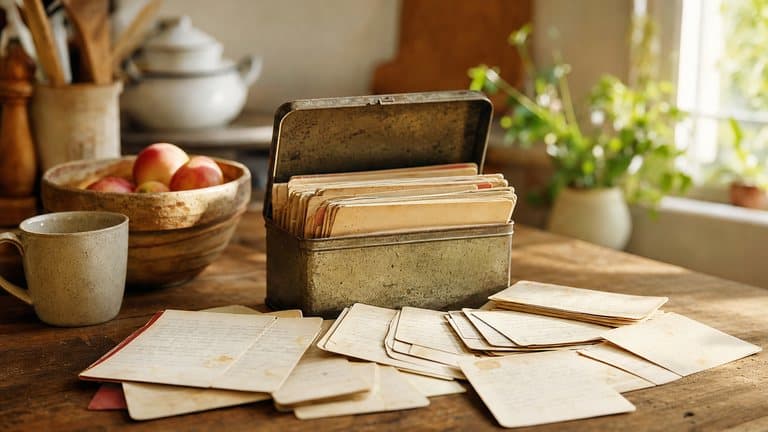
Somewhere in most families there is a tin, a folder, or a wedged-open book with a dozen index cards in it. Someone's mother's shortbread. A curry written on the back of an envelope. A scone recipe with butter fingerprints on one corner and a pencil correction in a hand nobody can quite place any more.
These are the most valuable recipes anyone owns and they are stored worse than anything else. One flood, one fire, one house move with a mislabelled box, and they are gone. Not "gone, I'll look it up again", actually gone.
Digitising them is not hard. Doing it in a way that keeps what makes them worth having takes a bit more thought.
Two different things you're trying to save
This is the part most people get wrong, and it is worth being precise about, because it changes what you do.
The recipe is the data: the ingredients, the quantities, the method. You want this searchable, scalable, shareable, and cookable from a phone. Text, structured.
The card is the artifact: the handwriting, the stain, the crossings-out, the fact that your grandmother wrote "a good knob" and never once specified grams. You want this preserved exactly as it is. An image, unaltered.
Almost every guide to digitising recipes tells you to do one or the other. Type them up, and you lose the hand that wrote them. Photograph them, and you get a camera roll you cannot search, cannot scale, and cannot cook from without pinching around a photo with greasy fingers. The same trap catches recipe screenshots in your camera roll.
You want both, attached to each other. Keep that in mind and the rest is mechanical.
Keep as data
Ingredients, quantities, method: searchable, scalable, and cookable from a phone with your hands full.
Keep as an image
The handwriting, the butter stain, the crossings-out. Exactly as it is, unaltered, attached to the recipe.
Photograph the cards properly
The photo is the master copy. If you do this part badly you will have to do the whole job twice, so it is worth ten minutes of setup.
Use daylight, not flash. Put the card on a table near a window, on a plain surface, a white tea towel is ideal. Flash blows out ink and creates a hard glare spot exactly where the writing is.
Get your shadow out of the way. Stand so the light comes over your shoulder rather than being blocked by you. If your own shadow falls across the card, turn ninety degrees.
Shoot square-on, filling the frame. Directly above, camera parallel to the card. Not at an angle, perspective distortion makes text harder for software to read and looks wrong when you come back to it.
Photograph both sides. Half the recipes in any tin continue on the back, and you will not remember which.
Keep the whole card, edges included. Do not crop tight to the text. The card's edges, its colour, its rule lines are part of what you are keeping.
If a card is very faded, photograph it anyway and then increase contrast afterwards rather than trying to fix it with lighting. The original photo is your negative; keep it.
Get the text out
Now you need the words as text, not just as pixels. There are three ways, in ascending order of how much of your life they consume.
Type them. Perfectly good for a dozen cards. Fully accurate, because you're reading the handwriting with a human brain, which is still the best tool available for "is that a 1 or a 7". Unbearable past about twenty.
Generic OCR. Free, fast, and mediocre on handwriting. Fine for a card written in neat capitals; hopeless on cursive. It also returns a wall of unstructured text. You get the words but not which ones are ingredients, so you still do the tidying by hand.
Let something read the card as a recipe. The difference that matters is not better character recognition. It is that the tool knows it is looking at a recipe. It expects an ingredient list. It expects quantities. It can tell that "1/2 c. butter" is an amount and "cream till light" is a step, and it can make a sensible guess at ambiguous handwriting because it knows which words are plausible in context.
This is what Sugo does with a photo. Point the camera at the card and the recipe comes back structured (ingredients with quantities and units, numbered steps, timings) with the original photo kept alongside it.
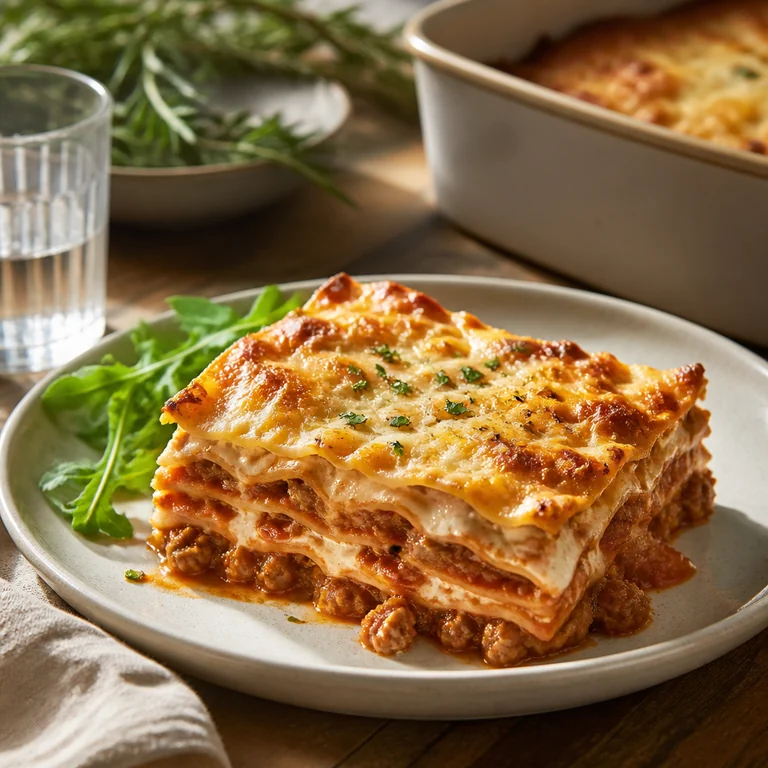
Sunday lasagna al forno
A proper Sunday ragu, simmered until it darkens, layered with béchamel and baked until the top sheet blisters and the edges catch on the dish.
Step 1
Warm the olive oil (2 tbsp) in a wide pan and soften the onion (1) with the garlic (3 cloves) until sweet, about 8 minutes. Turn up the heat, add the ground beef (1 lb) and brown it properly.
Coming up next
Check the things machines get wrong
Whatever you use, read the result once against the card. There are four failure modes and they are always the same four.
Fractions. ½, ¼, and ¾ are the single most misread thing on a handwritten card, and getting one wrong ruins the dish rather than degrading it. Check every one.
Oven temperatures. Old cards often use gas marks, or Fahrenheit with no unit, or "a moderate oven", which is a real instruction that means roughly 180°C and which no automatic conversion will handle.
Ambiguous units. "1 c." is a cup in most places and a cuillère in a French kitchen. "T" versus "t" is tablespoon versus teaspoon, and the difference is a factor of three.
Anything the writer assumed you knew. The most common missing step in family recipes is the oven temperature, because whoever wrote it already knew it. If a step is missing, add it as a note rather than guessing silently.
Keep the handwriting
Once the text is correct, attach the photo to the recipe. Not in a separate album: on the recipe itself, so opening it shows both.
This matters more than it sounds. The reason to digitise a family recipe is not efficiency; you could buy a better shortbread recipe in thirty seconds. It is that this specific one, in this specific hand, is a small piece of a person. A tidy typed version with the photo detached is a worse object than the card you started with.
Add whatever you know while you still know it, too. Who wrote it. Roughly when. What it was made for. "Nan, for Boxing Day, always doubled" is six words that no future family member can reconstruct once the people who remember are gone. Recipe notes are the right place for this and almost nobody uses them.
Then share it
The last step is the one that actually protects the recipes: get them off a single device.
A tin in one house is a single point of failure. So is a phone. Put the collection somewhere your family can reach it: a shared cookbook works, so does anything with more than one copy in more than one place. The test is simple: if your house burned down tonight, would the shortbread recipe still exist tomorrow?
Do the ten cards that matter first. The tin can wait; the ten you would actually be upset to lose cannot.
Sugo is free on iPhone, iPad and Mac, on Android, and in any browser at app.sugo.kitchen. If there is a tin in your kitchen you have been meaning to deal with for years, download Sugo.