How to save recipes from TikTok and Instagram
Cooking videos are where most recipes live now, and where they are hardest to keep. Four ways to get a recipe out of a video and into a form you can cook from.
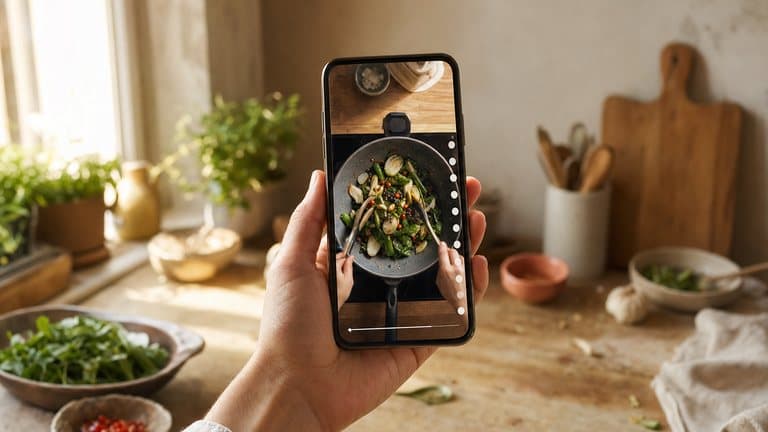
A decade ago, finding a recipe meant a food blog and nine hundred words about someone's grandmother. Now it means a forty-second video with no written ingredients, a voiceover moving faster than you can write, and a comment section where the actual quantities have been posted by a stranger and then buried under three thousand replies.
Video is genuinely good at teaching technique. You can see how thick the sauce should be, how the dough should feel, how far to take the onions. What video is catastrophically bad at is being referenced later, in a kitchen, with wet hands.
So here is the practical question: how do you get a recipe out of a video and into a form you can actually cook from?
Why saving inside the app does not work
Both TikTok and Instagram have a save button, and both are fine at what they do: which is bookmarking a video, not saving a recipe.
The problems show up later:
- You cannot search it. Saved folders are chronological grids of thumbnails. Finding "the miso pasta one" means scrolling for it. At two hundred saves, that is genuinely hopeless.
- There is no ingredient list. You cannot check what you need before shopping, and you cannot know whether you can make it tonight without watching the whole thing again.
- You cannot cook from it. A vertical video does not sit still. It autoplays, it loops, it scrolls away, and it locks your screen when you put the phone down.
- It can disappear. Creators delete posts, accounts go private, videos get pulled for music rights. A save is a pointer to someone else's file.
Saving inside the app is a fine way to say "this looked good." It is not a way to keep a recipe.
Four ways to actually keep a video recipe
1. Type it out by hand
The honest baseline. Watch the video, pause it a dozen times, write the ingredients and steps into a note.
It works, you end up with something structured, and you own it. It also takes ten to fifteen minutes per recipe, which means realistically you will do it for about four recipes and then stop. Worth it for a dish you know you love. Not a system.
2. Screenshot the ingredient frame
Most cooking videos flash an ingredient list for two seconds somewhere near the start. Screenshot it.
Fast, but you get an image, not text. It is not searchable, quantities are often unreadable at phone-screenshot resolution, and the method is still trapped in the video. This is how most people end up with a camera roll full of recipe photos they never open.
3. Mine the caption and comments
Some creators put the full recipe in the caption, and where they do not, someone in the comments usually has. Copy it into a note.
This is the best of the manual options when it works. The catch is that it is inconsistent: captions get truncated, comments get buried, and quantities posted by strangers are frequently wrong. You are also still doing the copy-paste-and-tidy work yourself, every time.
4. Let something read the video for you
The bit that made the first three options painful was always the same: a human transcribing. That part is now automatable. Share the video into a tool that reads the caption, listens to the voiceover, follows the creator's recipe link if there is one, and returns structured ingredients and steps.
This is the approach Sugo takes.
Sharing a video into Sugo
The flow is deliberately the shortest one available on a phone: tap Share on the post, pick Sugo, and you are done. There is no copying a link into another app, no separate paste step.


Sunday lasagna al forno
A proper Sunday ragu, simmered until it darkens, layered with béchamel and baked until the top sheet blisters and the edges catch on the dish.
Step 1
Warm the olive oil (2 tbsp) in a wide pan and soften the onion (1) with the garlic (3 cloves) until sweet, about 8 minutes. Turn up the heat, add the ground beef (1 lb) and brown it properly.
Coming up next
Sugo pulls what it can from the post (the caption, the spoken narration, and any recipe page the caption links to) and reconstructs the recipe from all of it, because on any given video the quantities might only exist in one of the three. Facebook, YouTube, Snapchat and the rest work the same way; how to import recipes from any website, video or photo lists every source and how each one is read.
One recipe, with real quantities
What comes back is a normal recipe: a title, an ingredient list with real quantities and units, numbered steps, and timings. From there it behaves like anything else in your library:
- It is searchable by ingredient, by time, or by half-memory. "That noodle thing from a video in July" is a fair question to ask Ask Sugo.
- It is checkable against your kitchen. Your pantry decides whether it shows up as something you can make tonight or something that needs a shop first.
- It is cookable. Cook mode gives you one step at a time with its timer, instead of a looping video you have to keep unlocking.
- It is yours. The recipe lives in your library whether or not the original post survives.
A word on what this does not do: extraction is very good, not perfect. Videos with no spoken quantities and no caption are genuinely ambiguous: the information is not in the post. Sugo also doesn't read text that only appears on screen, so when the quantities only flash up in the video, screenshot that frame and import it as a photo. Sugo shows you what it extracted so you can correct it before saving, and that edit takes seconds rather than the ten minutes option one costs.
Credit, and what saving is for
Two things worth being clear about.
Save for yourself, not to republish. Keeping a personal copy of a recipe you want to cook is ordinary and fine. Reposting someone's video, or passing their work off as yours, is not. Sugo keeps the source on every imported recipe, so you can always get back to the creator who made it, and send other people there too.
Follow the people whose food you keep cooking. Recipe extraction solves the storage problem, not the discovery one. The creators worth saving from are worth watching.
The short version
If you cook from videos, the pattern that works is: watch on the platform, keep it somewhere else.
Use the platform for what it is genuinely good at: showing you technique and putting new food in front of you. Then get the recipe itself somewhere structured, searchable, and yours, so that in three months you can find it in five seconds instead of scrolling a grid of thumbnails hoping to recognise one.
Sugo is free on iPhone, iPad and Mac, on Android, and in any browser at app.sugo.kitchen. If your recipe collection currently lives in a saved-videos folder, download Sugo.