How to save a recipe from a YouTube cooking video
An eighteen-minute cooking video contains about two minutes of actual recipe. Four ways to get those two minutes into a form you can cook from.
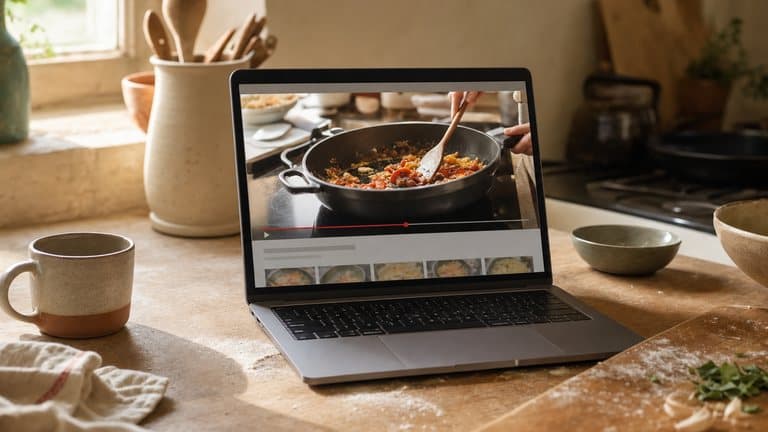
The quickest reliable method, in order: check the description box, because a good share of the time the full ingredient list is already sitting there as plain text and copying it takes ten seconds. If it is not there, check the pinned comment, creators who ran out of description space often put it there. If it is in neither, you are transcribing: pausing every thirty seconds and writing it down yourself, or handing the video to something that will watch it for you.
That is the practical answer. The rest of this is about why the problem exists, because YouTube fails differently from every other place recipes live, and the difference changes what you should do about it.
The problem is dilution, not loss
If you have read how to save recipes from TikTok and Instagram, the failure there was disappearance: short-form posts get deleted, accounts go private, and a save is a pointer to someone else's file.
YouTube is not really like that. Videos from ten years ago are still up. Channels that stopped uploading in 2016 still work. Whatever else YouTube is bad at, keeping things is not it.
The problem is the other one. The recipe is not missing. It is diluted past the point of being usable. An eighteen-minute video is roughly two and a half thousand spoken words. The recipe inside it (the ingredients, the amounts, the order of operations) is maybe two hundred of them. The other nine tenths is the sponsor read, the tangent about why this dish is named what it is, the equipment recommendation, the bit where the camera lingers on the sear, and the outro.
That ratio is not a flaw. It is what makes the video worth watching. Nobody has ever learned to tell when a ragù has finished from a printed recipe, and the long form is why you know how the onions should look before the tomatoes go in. But it makes the video useless at the moment you actually need it, which is Thursday at seven, one hand covered in flour, trying to remember whether it was three tablespoons or two.
A cooking video is a lecture. What you want in the kitchen is the handout.
What the video is for
Watched once, start to finish, from the sofa. Technique, judgement, what "until it smells nutty" actually looks like. Eighteen minutes well spent.
What you need at the hob
Glanceable in two seconds with wet hands. Quantities, order, timings. The same recipe, at a hundredth of the length.
You want both. You are not replacing the video, you are extracting the handout from it.
One video, one recipe, spread thin
18:24
- 0:41On-screen text400 g spaghetti, 200 g pecorino
- 4:12Said aloud"a good handful of pecorino, more than you think"
- 6:42Said aloud"about three tablespoons of the starchy water"
- 12:30On-screen textreserve a cup before draining
- 16:05Said aloud"off the heat before the cheese goes in, always"
Five fragments. Forty seconds to read.
the other seventeen minutes are worth watching, just not at the hob
Where the recipe is actually hiding
Before you transcribe anything, look in these five places. Roughly in this order, because they run cheapest to most expensive.
The description box. Click "more". A large minority of cooking channels put the whole thing there: ingredients with amounts, sometimes numbered steps. This is by far the best case and most people never expand it.
The pinned comment. Where a recipe is too long for the description, or where the creator added a correction after publishing, it usually lands here. Corrections in particular are worth reading: "for anyone asking, 200g not 300g" is exactly the kind of thing you want before you shop, not after.
A link to the creator's own site. Very common, and a mixed blessing. You often get a properly written recipe with a print button. You also often get a dead link, a page that now demands an email address, or nine hundred words about a holiday in Puglia before the ingredients appear.
On-screen text. Longer videos frequently caption each ingredient as it goes into the pan. Comprehensive, but only available a frame at a time, which means scrubbing.
Said aloud and nowhere else. The last resort, and more common than it should be. The quantity exists exactly once, in the middle of a sentence, at 6:42.
If the recipe is in the first two places, you are done in under a minute. Everything below is for when it is not.
Four ways to keep it
1. Copy the description or pinned comment
When it is there, take it. Paste it somewhere you will look again: not a browser tab, not a bookmark, somewhere with a search box.
The one thing to check is that the description recipe matches the video. Creators occasionally reuse an older description, or write it before a final edit, so the numbers drift. If the video says a splash of vinegar and the description says two tablespoons, trust the video.
2. Use the transcript
YouTube auto-generates a transcript for most videos: the three-dot menu under the player, then "show transcript". You can copy the whole thing and pull the recipe out of it.
This is faster than pausing and scribbling, and it has one significant advantage. You can search it. Typing "garlic" jumps you straight to the clove count.
It also produces an unstructured wall of text with timestamps down one side, no punctuation to speak of, and the occasional word salad where the auto-captions gave up. "Two hundred grams" arrives as "200 g", "2 hundred grams", or "to hundred grams" depending on the day. You still do the tidying by hand, and you still have to know which words matter.
3. Follow the link to the creator's site
If the description links to a written version, that version is usually the best copy that exists: the creator wrote it, it has been proofread, and it is often better structured than what they said on camera.
Take the recipe out of the page and keep your own copy anyway. Personal blogs go down, get redesigned, disappear behind newsletter walls, or lose their old posts in a migration. The written recipe existing today is not the same as it existing in 2029.
4. Let something read the video for you
The expensive part of the first three options is always a human doing transcription. That part is now automatable. Hand over the link, and let a tool read the description, follow the creator's recipe link, fall back to what was said in the video, and return ingredients and steps as structured data.
This is the approach Sugo takes.
Sending a YouTube video to Sugo
Share the video to Sugo, or paste the link. It comes back as a recipe rather than a video: a title, an ingredient list with real quantities and units, numbered steps, and timings.
The lasagna I make more than any other
48K views · 2 weeks ago
Full ingredient list and timings in the description below. …more
made this last night, unreal
Up next
 11:02Cacio e pepe, and why yours splitsWeeknight Pasta · 210K views
 24:17The only ragù recipe you needWeeknight Pasta · 92K views
 8:45Gnocchi in twenty minutes, start to plateWeeknight Pasta · 66K views
Sunday lasagna al forno
A proper Sunday ragu, simmered until it darkens, layered with béchamel and baked until the top sheet blisters and the edges catch on the dish.
Step 1
Warm the olive oil (2 tbsp) in a wide pan and soften the onion (1) with the garlic (3 cloves) until sweet, about 8 minutes. Turn up the heat, add the ground beef (1 lb) and brown it properly.
Coming up next
Sugo starts with the full description, not the two lines YouTube shows under the player, and follows a link to the creator's written recipe when there is one. When the description turns out not to be a recipe, it reads the video's transcript instead, which is where the "good handful" at 4:12 lives. It doesn't read text that appears on screen, so an amount that only shows up as an overlay, like the one at 0:41 in the timeline above, needs a screenshot of that frame, imported as a photo.
From there it behaves like the rest of your library. It is searchable by ingredient or by half-memory, so "that dal from a long video in August" is a fair question to ask Ask Sugo. It gets checked against your pantry, which decides whether it shows up as something you can cook tonight or something that needs a shop first. It goes into a cookbook with everything else, whatever it was originally saved from. And cook mode gives you one step at a time with its timer, which is the thing an eighteen-minute video is worst at, see cooking without touching your phone for why that matters more than it sounds.
What this does not do well. Extraction is good, not perfect, and long videos have two failure modes worth knowing about.
The first is compilations. A "five weeknight pastas" video contains five recipes, and asking for one recipe back is asking the wrong question. You will get one of them, or an unhappy blend. Import those and expect to do some sorting.
The second is genuine ambiguity. Where a quantity was never written in the description or said out loud, Sugo can't recover it: it doesn't read on-screen text, and it doesn't invent amounts. What you get is the extraction laid out for you to correct before saving, which takes seconds rather than the ten minutes option one costs. On a well-made recipe video with a filled-in description it is usually a read-through and no edits. On a chatty vlog with no description, expect to fix a few numbers.
Before you cook from it, check five things
Whatever method you used, spend thirty seconds on this. It is the difference between a recipe you trust and one you have to re-watch the video for.
Quantities that were only spoken
Anything said once, mid-sentence, is the most likely thing to be wrong. Spot-check two or three against the video.
The oven or hob setting
Frequently mentioned in passing rather than written down, and just as frequently lost. If it is missing, go back to the video for it.
Pan and tin sizes
A tart that assumes a 23cm tin does not work in a 20cm one, and this detail is almost never in a description box.
Corrections made after publishing
Read the pinned comment. If the creator revised something, that is where it is.
The link back to the source
Keep it on the recipe. You will want the video again the first time you cook it, for the parts text cannot carry.
Credit, and what saving is for
Keeping a personal copy of a recipe you intend to cook is ordinary and fine. Republishing someone's recipe as your own is not, and the fact that extraction makes it easy does not make it acceptable. Keep the source attached, and send people to the creator.
Follow the channels whose food you keep cooking, too. Getting the recipe out of the video solves your storage problem; it does not pay for the next video. Watching does.
The short version
Watch on YouTube, keep the recipe somewhere else.
The video is the best teacher you have and the worst reference you have, and those are not in conflict. They are just two different jobs. Take the two minutes of recipe out of the eighteen minutes of video, put it somewhere with a search box, and keep the link so you can go back for the bit that only moving pictures can teach.
Sugo is free on iPhone, iPad and Mac, on Android, and in any browser at app.sugo.kitchen. If your recipe collection is currently a YouTube watch-later list, download Sugo.