How to cook from a recipe without touching your phone
Wet hands, a locked screen, and a recipe that has scrolled somewhere you can't find. A practical setup for cooking from a phone without picking it up.
The phone is now the default cookbook, and it is the worst cookbook ever made.
A printed book stays open at the page. It does not lock itself after thirty seconds. It does not mind being touched by someone whose hands are covered in raw chicken. It does not lose your place because you brushed it with a knuckle, and it never, at any point, shows you an advert for car insurance between step four and step five.
Cooking from a phone is a solved problem, but almost nobody sets it up, because the moment you notice the problem is the exact moment you cannot do anything about it: hands full, pan hot, screen dark.
Here is the setup, in the order it actually matters.
Read the whole recipe first
This is the least technological advice here and the most valuable, which is slightly annoying but true.
Read the entire method before you start. Not to memorise it, but to find the traps. Almost every recipe has one: butter that should have been softened, an oven that needed preheating twenty minutes ago, a marinade with an hour in it, a step where three things happen at once.
Reading ahead converts the recipe from instructions you follow into a plan you already understand. That alone cuts the number of times you need to look at the screen roughly in half, which is a bigger win than any app feature.
Do the prep before the heat
The restaurant word is mise en place and it sounds fussier than it is. Chop everything, measure everything, open everything, and put it in bowls before a single pan goes on.
The point for our purposes is specific: all of the fiddly reading happens while your hands are still clean. Quantities, weights, "finely diced versus roughly chopped". That is all front-loaded into the calm part. Once the heat is on, the recipe stops being a list of amounts and becomes a short sequence of actions, which is a much lighter thing to read at a glance.
Fix the physical setup
Three things, thirty seconds, and they matter more than any of the software.
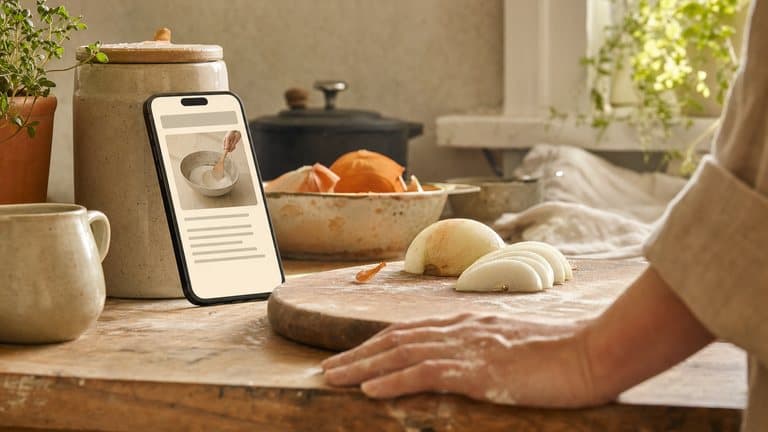
Get the phone up and out of the splash zone. Propped against a jar, in a stand, or on a shelf at eye level. Flat on the counter is the worst option: it collects water, it catches flour, and you have to lean over it, which is where the neck ache and the dropped phone come from.
Stop the screen locking. On iOS this is Settings → Display & Brightness → Auto-Lock → Never; on Android it is Display → Screen timeout. Set it back afterwards if you care about battery. A recipe app worth using overrides this by itself while you are cooking.
Turn the brightness up. Kitchens are brighter than living rooms and you are further from the screen than usual.
Make the screen show one step
This is the real difference between reading a recipe and cooking from one.
A recipe page is designed for someone deciding whether to make the dish: a photo, a story, an ingredient list, then the method. That layout is actively wrong at the stove, where you need exactly one instruction, in large type, with its timer, and nothing else competing for attention.
If your recipe lives on a web page, the workaround is to zoom in until one step fills the screen. It works, but you will be scrolling and re-finding your place all evening.
A dedicated cook mode does it properly: one step at a time, sized to be read from across the counter, with the timer for that step attached to it.
This is what cook mode in Sugo is for. The current step gets the whole screen, timers start with the step rather than needing to be set up separately, and the ingredients tick off as they go in, so when you look up from the pan you can see what has already gone in without reconstructing it from memory.
Use your voice for the rest
Even with one step on screen you still need to advance it, and that is the moment your hands are least available.
Voice is the honest answer here. "Hey Sugo, next step" works with flour on your hands, wet fingers, or a knife in one hand, and it is the only input method that does. You can also ask it things mid-cook (how much of an ingredient, how long a step was, what comes next) without losing your place. Voice is not the best tool for every command, though, and hands-free recipe navigation goes through which control fits which ask.
Crush the San Marzano by hand, straight into the pan. Don't be tidy.
Flour on your hands · nothing tapped
If you are cooking from something without voice control, the low-tech version is real: the knuckle of your index finger works on a touchscreen when your fingertips are greasy, and the side of your thumb works when your hands are wet. Both are better than wiping your hands eleven times per meal.
The five-minute version
If you do nothing else:
Read the whole recipe before you start
Free, and it prevents most mid-cook panics.Prep and measure before the pan goes on
Moves the reading to when your hands are clean.Prop the phone up and disable auto-lock
Thirty seconds, fixes the most annoying failure.Get the recipe into a one-step-at-a-time view
Zoom if you must, cook mode if you can.Use voice to advance
The only control that works with the hands you actually have.
None of this is about cooking better. It is about removing the small, constant friction that makes cooking on a weeknight feel like more effort than it is: the wiping, the scrolling, the re-finding, the screen going dark at the worst moment.
Get that out of the way and what is left is just cooking, which was the part you wanted to do.
Sugo is free on iPhone, iPad and Mac, on Android, and in any browser at app.sugo.kitchen. If your phone has spent the last year face-down in flour, download Sugo.